Supported controllers
DJI RC Pro, RC Pro 2, RC Plus and RC 2.


Automatic flight records
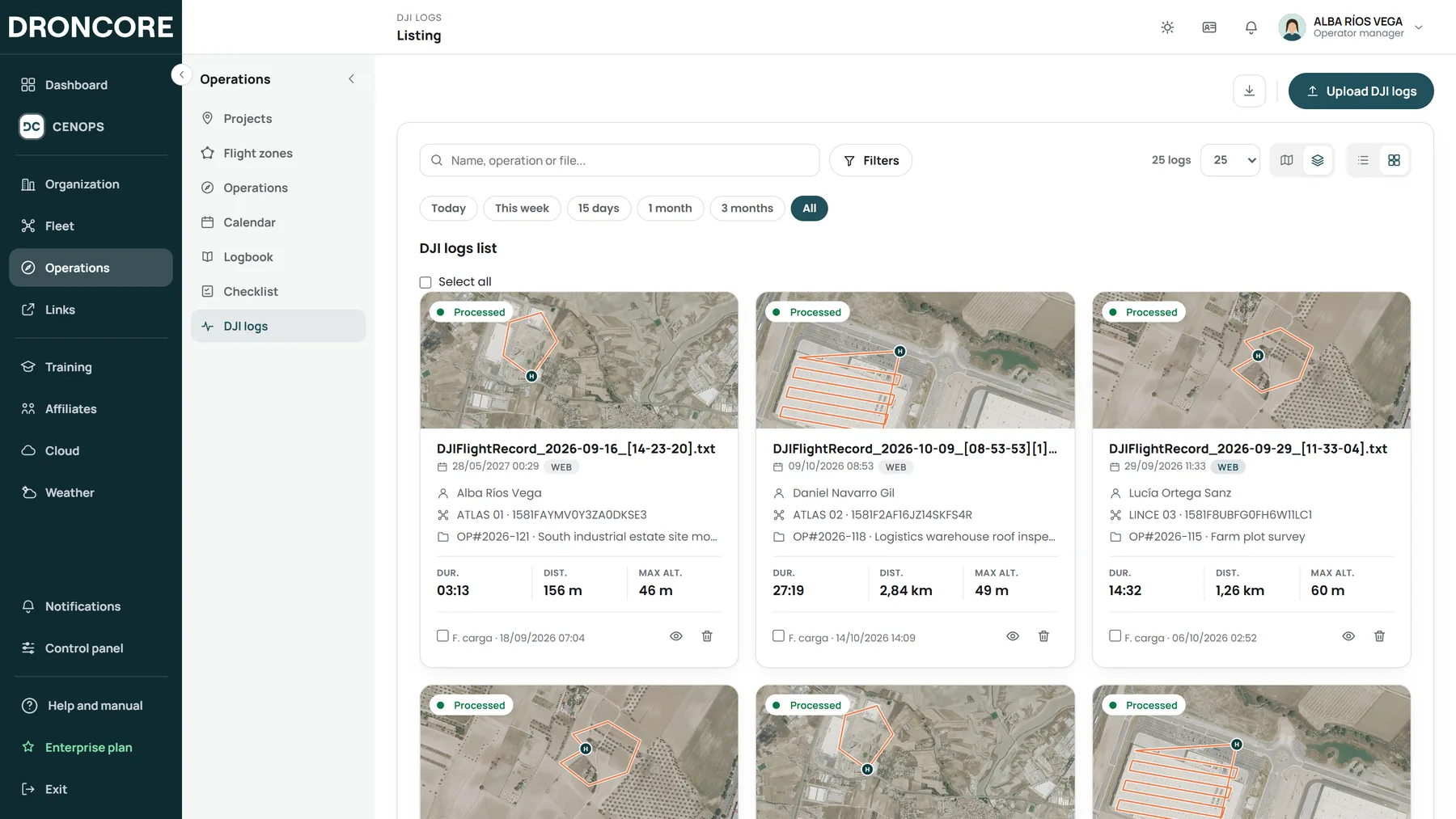
No cables. No downloads. No paperwork. DRONCORE Log Sync is the app you install on your DJI controller: when each flight ends, it sends the record and the pilot position to your operator.

DJI RC Pro, RC Pro 2, RC Plus and RC 2.
For the unit, every pilot and every UAS.
Cycles, charges and estimated health on every flight.
Four ways in, one destination
Log Sync from the controller, the DJI account, FlightHub 2 or web upload: all feed the same records, the same fleet and the same logbook.
How flights arrive
DRONCOREWhat updates itself
Flight analysis
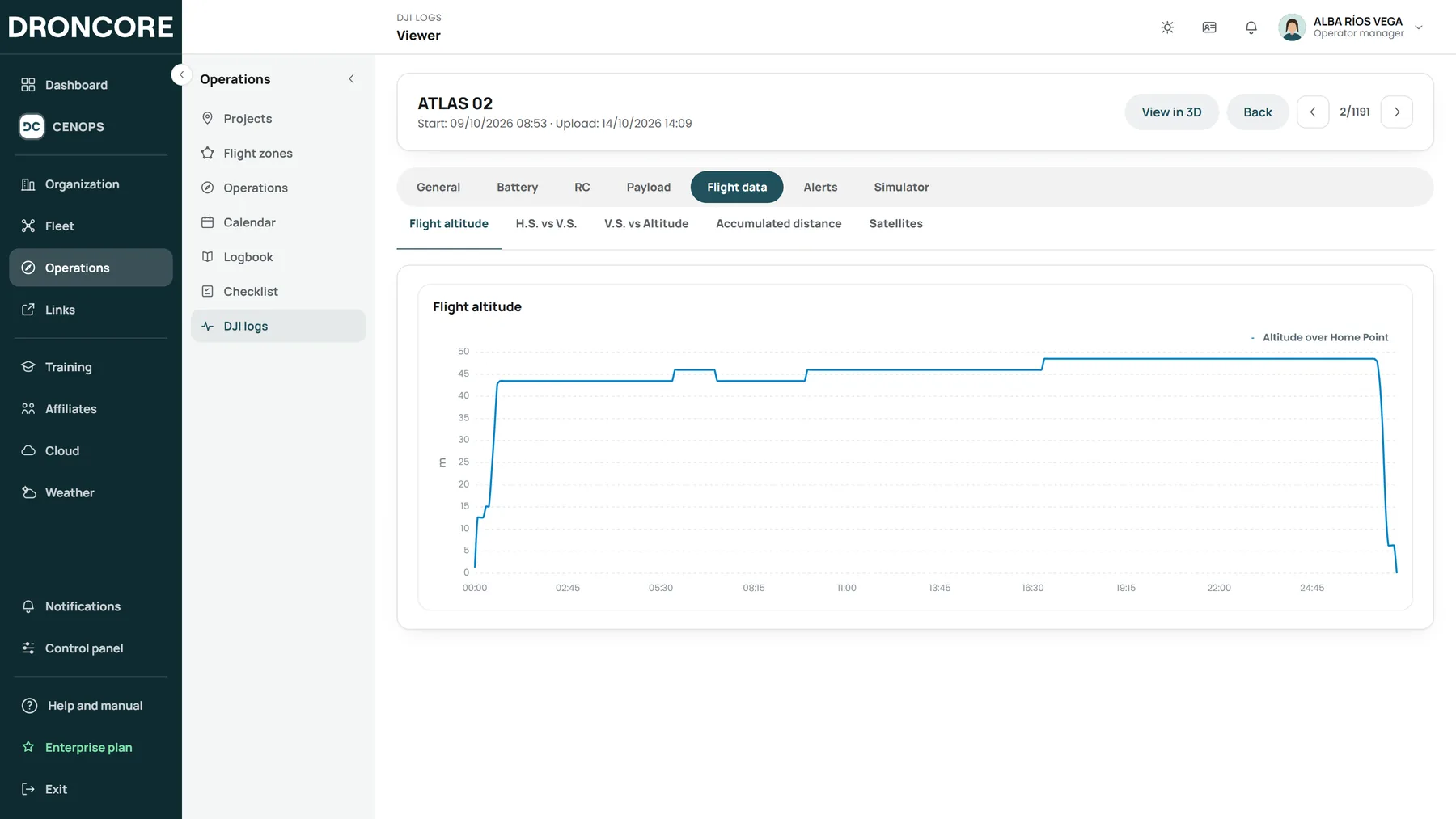
The viewer organises every record into general, battery, controller, payload, flight data, alerts and simulator. Check battery, height, speed or satellites and replay the flight step by step.
Logbook
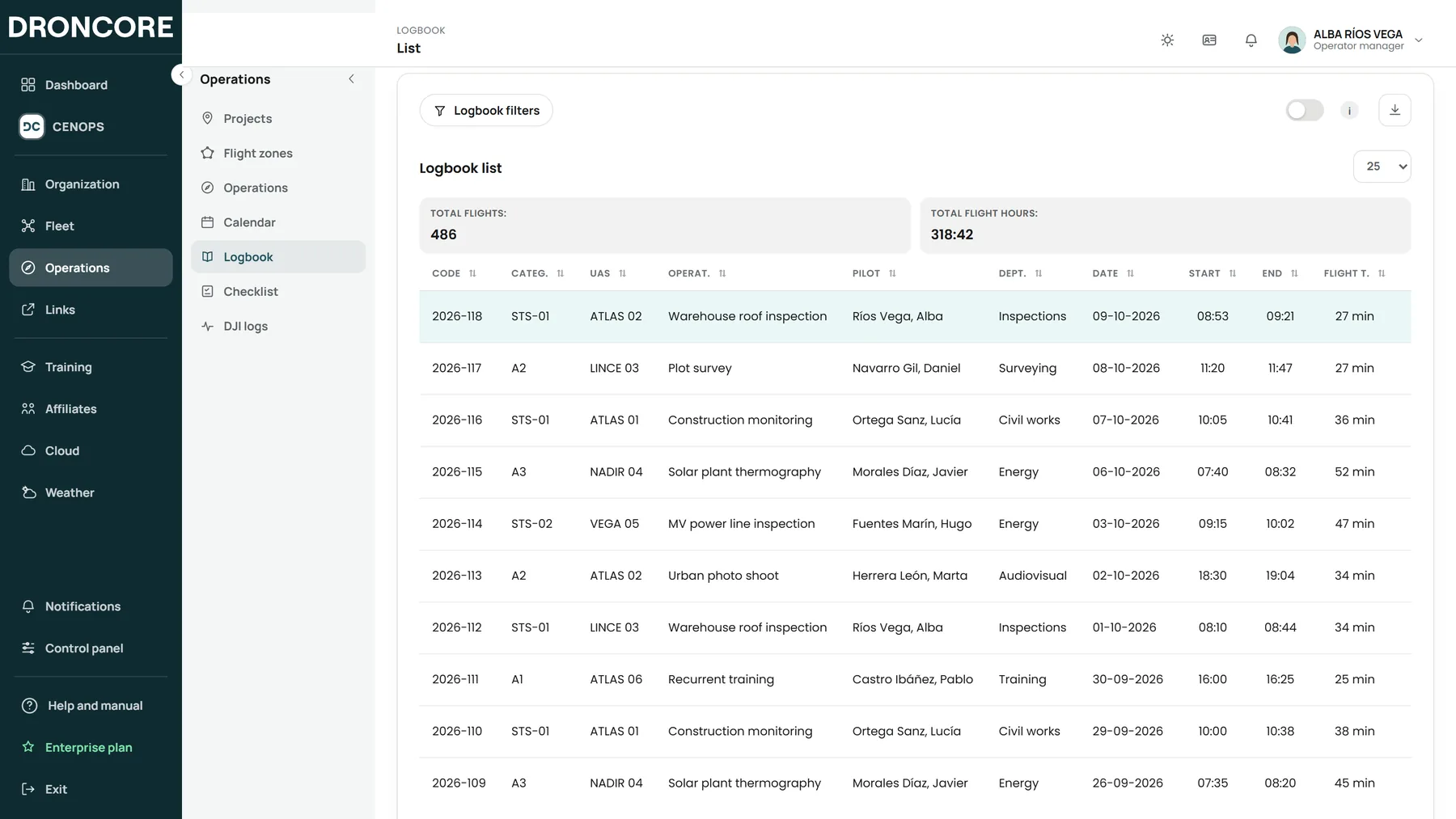
Logbook entries are created automatically from the records: for the operator, every pilot, every UAS and every operation, exportable to Excel.
Frequently asked questions
On the DRONCORE Log Sync page. It installs on the supported DJI controller and links to your operator.
You can bring them in with DJI Cloud Sync, without installing anything on the controller.
DRONCORE identifies them by serial number and creates their record. You only need to complete the organisational details.
Book your demo
We will show you DRONCORE and CENOPS with a case like yours. No commitment.