
DRONCORE Operations Centre
 CENOPS
When it is time to fly, everything in sight
All your UAS on one map, in real time. What each one sees, live. Teams on foot, connected. And every organisation, in the same project.
Live map
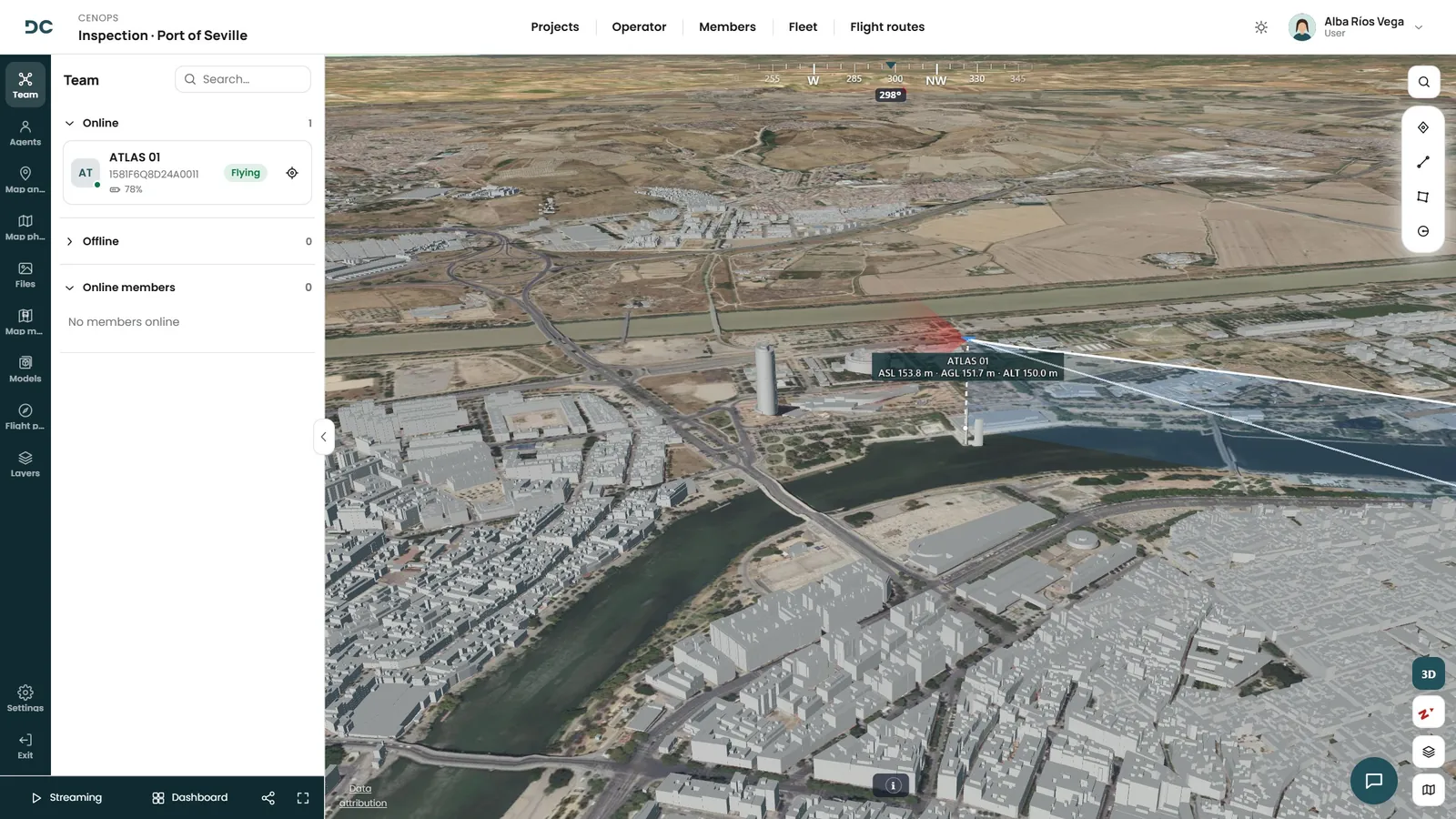
All your UAS on one map, in real time
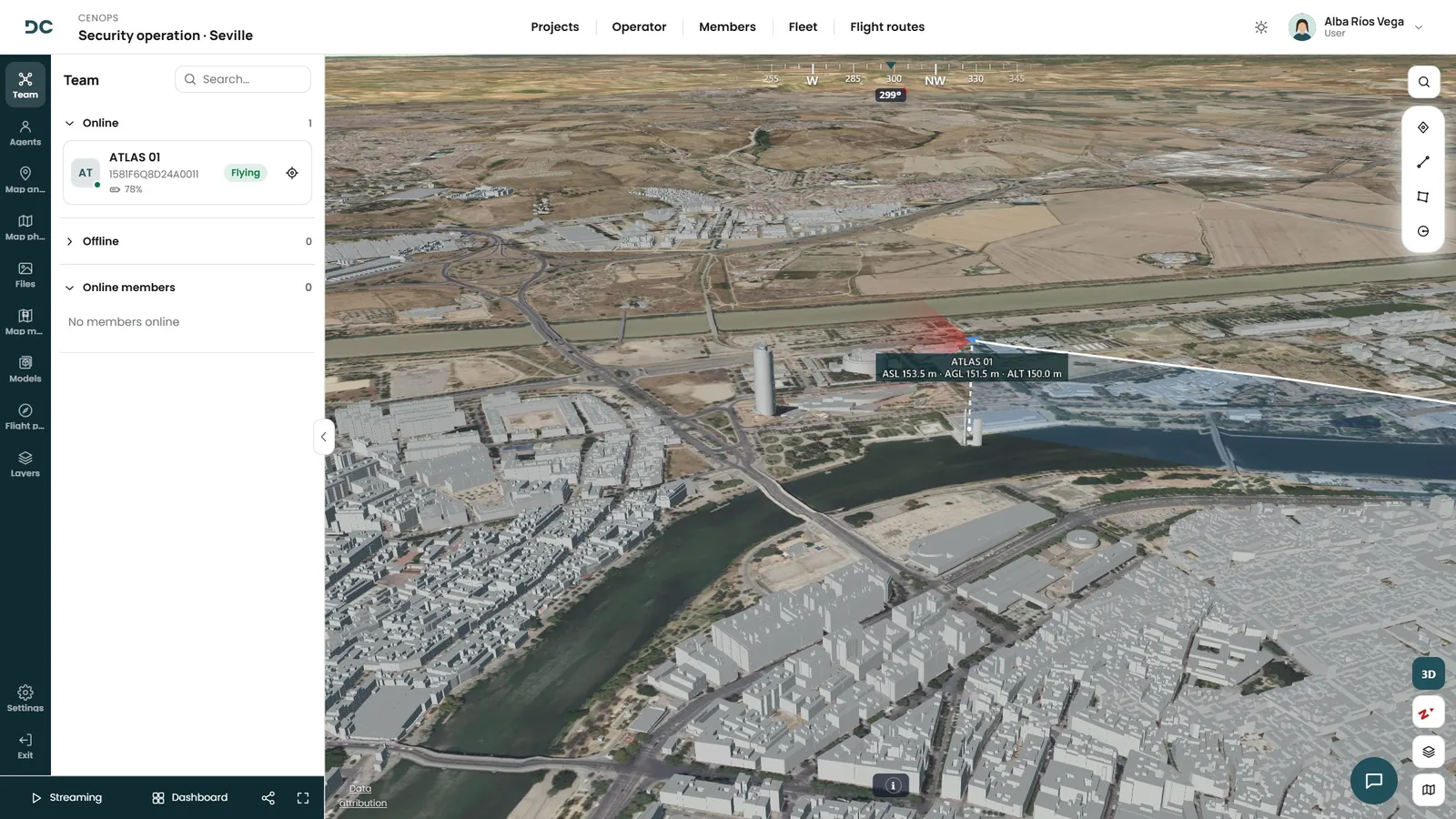
Position, track and telemetry of every flight: height, speed, battery… and who is flying, with what equipment. On map, satellite or 3D with terrain and buildings.
- UAS, controller and home point with their real heading.
- Each UAS track is drawn as it flies.
- Who is connected to the project and with which UAS.
Live video
And what every UAS sees, all at once
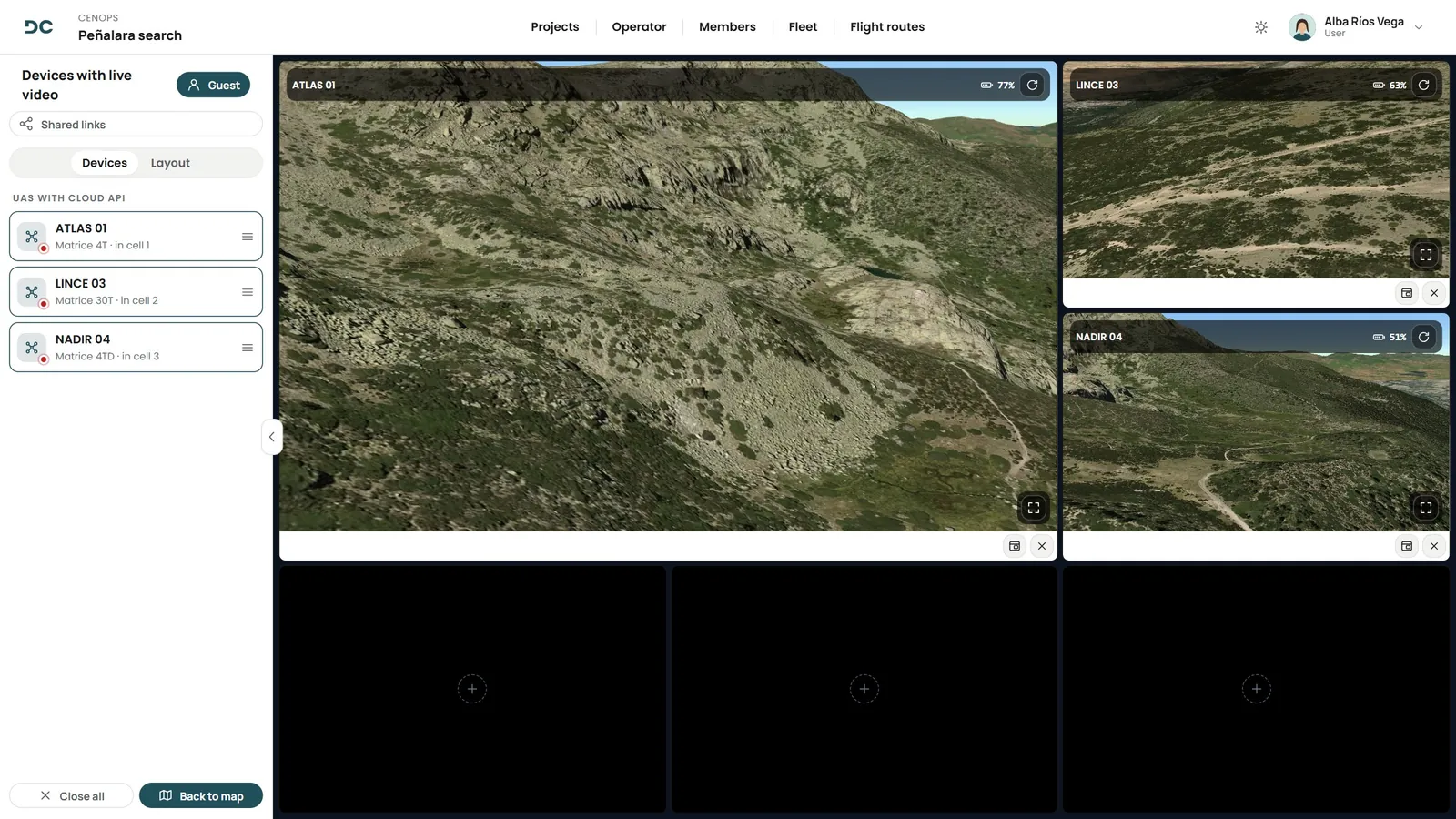
In a window over the map or in a grid with every live feed. Drag each UAS into its cell, choose the layout and record or capture whatever you need: it is stored in the project.
- Layouts that highlight the main feed.
- Visible or thermal imagery, depending on the UAS.
- Recordings and captures with their UAS, date and place.
Share
Someone else needs to see it? Share it
With a link or a QR code, without them creating an account: the incident commander, another control room, the client. The link expires when you decide and can be extended or revoked.
Coordination with the pilot
Points and areas, on the pilot’s controller
Mark targets, lines and areas on the map and they reach the pilot’s screen directly, on their controller with DJI Pilot 2. The whole team sees the same thing, organised in folders.
- Point, line, area and circle, with name, colour and symbol.
- Zoning tool to split an area into work sectors.
- KML export for other systems.
Photos and DRONCORE Cloud
Every photo, where it was taken
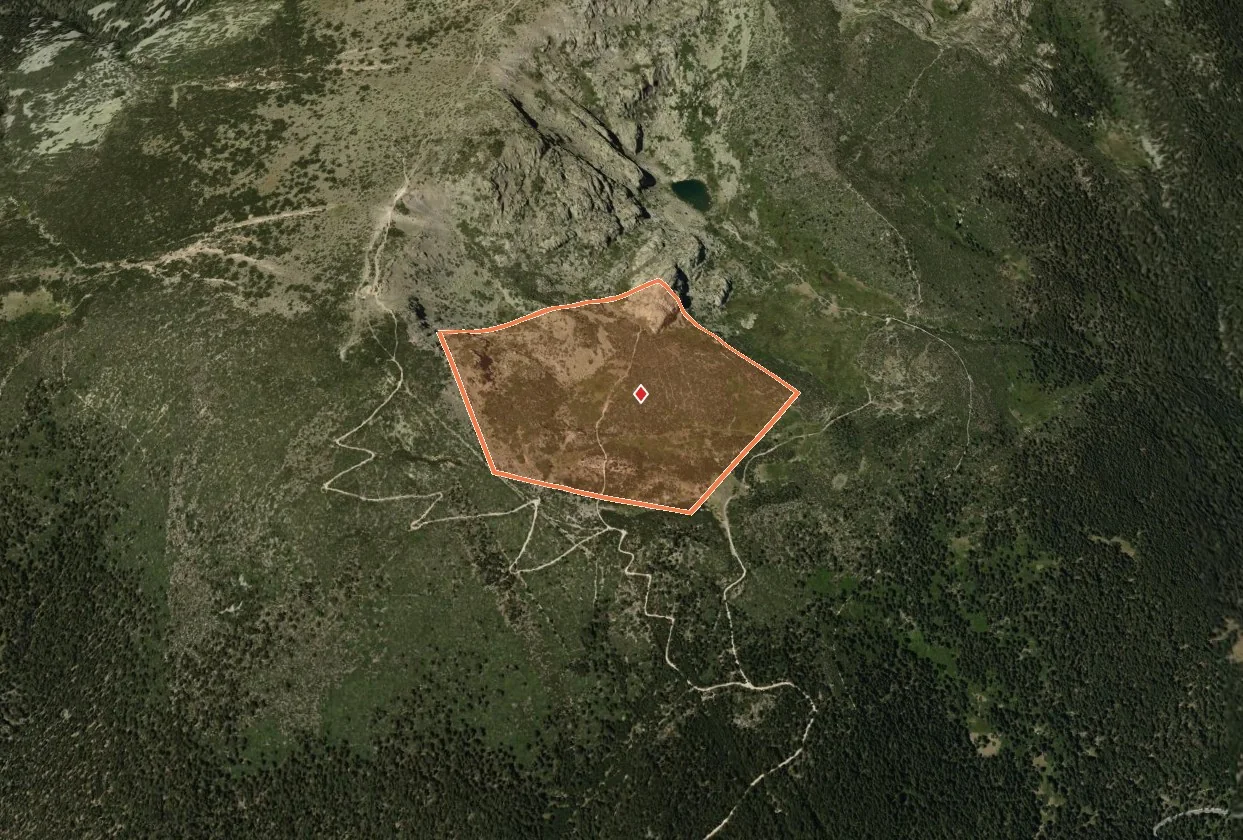
Photos appear on the map at the exact point, also in 3D with buildings, and open in a viewer to flick through them. Everything stays in the project and in DRONCORE Cloud: photos, videos, 360°, orthophotos and 3D models.
Plan and simulate
Plan your flights and simulate them before take-off
Design the route waypoint by waypoint on the 3D map or on your own models, with height, speed and camera actions, and check the flight before heading out.
Context layers
The surroundings, layer by layer
Without leaving the operations centre: mobile coverage across Spain, power lines in the area, population density or live air traffic. Turn them on and off from the layers panel, on the 2D or 3D map.
- Mobile coverage. Official 4G and 5G map and the main carriers*.
- Power lines. High and medium voltage, with voltage and operator.
- Population density. To assess ground risk*.
- ADS-B air traffic. Nearby aircraft with their altitude.
*Currently available in Spain.
DRONCORE TeamSync
Teams on foot? On the map too
With TeamSync, every agent appears in CENOPS from their phone. They can request a UAS, raise an emergency alert or share their camera with the centre. They join with a code or a QR, only share their location while on duty and do not use licences.
Several organisations
All in the same project
If several organisations take part in the incident, they all work in the same project, each with its own assets. Invitations with access requirements, assigned zones and a shared summary at the end.
DRONCORE DFR
An alert, and the Dock takes off on its own
Set up sensors, alarms, counter-UAS systems or cameras so that, when an alert fires, the Dock takes off towards the spot while you follow it live from CENOPS.
An alert goes off
DRONCORE DFRAutomatic response
CENOPS by sector
Built for whoever coordinates
The same operations centre, adapted to every way of working.
Police and security
Every flight, under control
The unit, its fleet and every flight in a single platform, with the operation live for whoever coordinates from the control room.
- Live imagery in the control room. The control room sees each UAS camera and its position without depending on the controller.
- Live feed for the incident commander. A link or QR with expiry for whoever needs to see, without access to the platform.
- Evidence in context. Captures and recordings saved with their UAS, date, place and operation.
- Unauthorised UAS. Counter-UAS module: live detections and own vs. unknown UAS.
Fire services
Eyes in the air, decisions on the ground
Plan, coordinate the incident live and keep every flight on record, from a single platform.
- UAS imagery at the command post. Visible or thermal, live at the forward command post and at headquarters.
- Perimeter and hot spots. Drawn on the map and seen by the whole team, also the pilot on their controller.
- Several UAS, one screen. Front, perimeter and access routes at once in the video grid.
- Terrain context. Power lines, air traffic and mobile coverage over the area.
Emergencies and civil protection
When every minute counts
Teams, fleet and flights in a single platform, with everyone on the same map during the incident.
- Shared projects. Invite other organisations to the incident and check they meet the requirements.
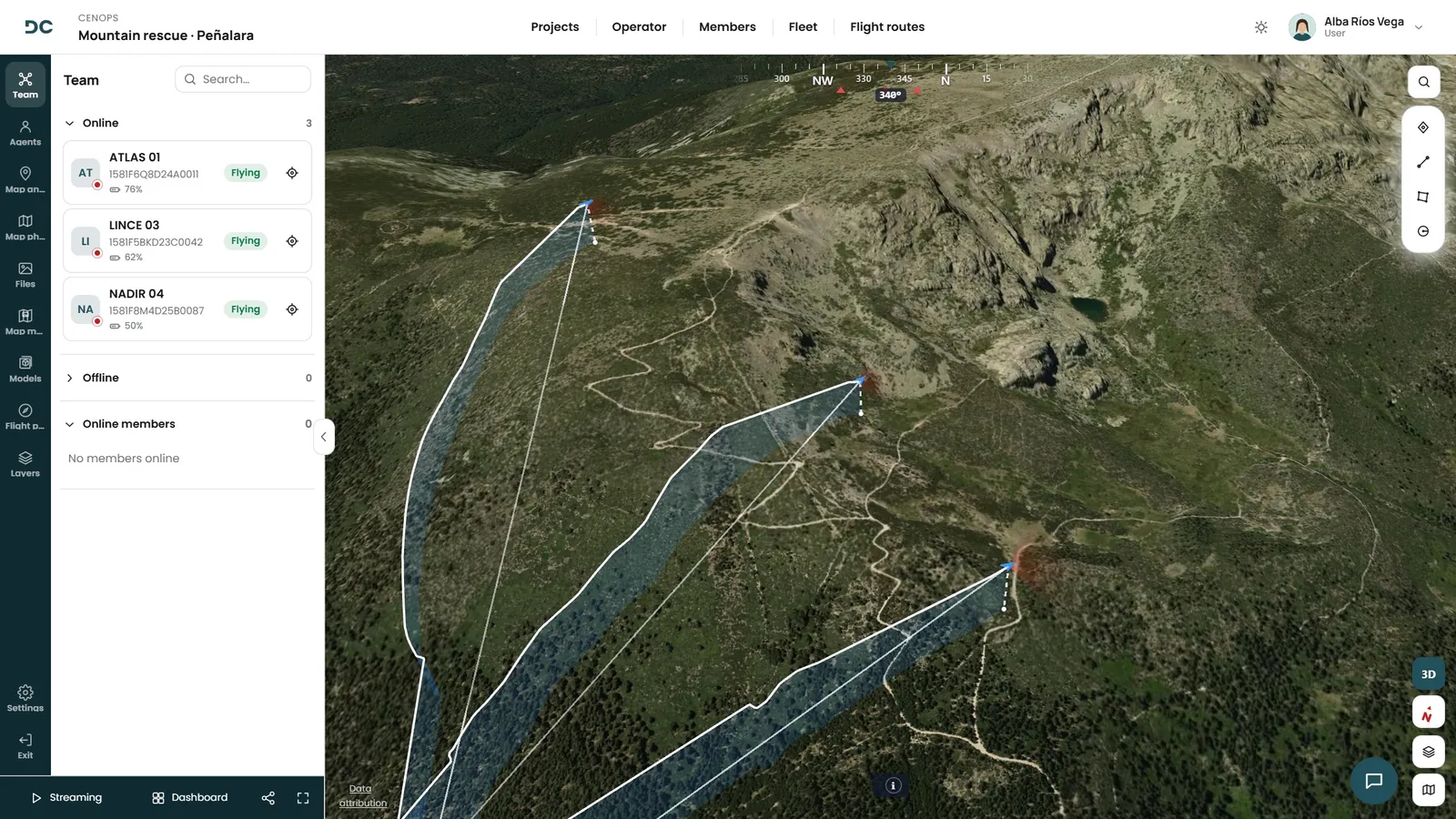
- Search sectors. Split the area into cells, assign zones and send each team its file.
- Every UAS on one map. Position, track and pilot of each UAS, whichever organisation it belongs to.
- Findings on the map. Each point of interest is marked, with author and time, for the whole team.
Companies and private security
Your UAS operation, professional
Fleet, pilots, documentation and live flights, in a platform that grows with you: inspection, surveying, surveillance, media or agriculture.
- Surveillance and private security. Patrols, perimeters and events with the live feed in the control centre and guards on foot with TeamSync.
- Infrastructure inspection. UAS track, issues marked on the map and power lines as a layer.
- Your client, live. A link with expiry so they can follow the job without access to anything else.
- A report to deliver. The operation with its area, crew, flights and your company branding.
How it works
An incident, start to finish
Open the project
Zones, teams and participating organisations, ready.
The UAS connect
From the controller or the Dock they appear on the map, with their live feed.
You coordinate live
Annotations to the controller, shared feeds and teams on foot.
Everything is recorded
Flights, imagery, recordings and participants, ready for the report.
Frequently asked questions
About CENOPS
What do I need to see my UAS in CENOPS?
DJI Enterprise equipment with DJI Pilot 2 or managed with FlightHub 2, and a DRONCORE account with CENOPS. We help you set it up during onboarding.
Does whoever watches the live feed need an account?
No. You can share a UAS video with a link or a QR code with an expiry date, which you can extend or revoke whenever you want.
Can several organisations work at the same time?
Yes. Projects bring together every organisation taking part in an incident, each with its own assets, on the same map and with access requirements.
What is TeamSync?
The app for staff on foot: they appear on the CENOPS map while on duty and can request a UAS, raise an SOS alert or share their phone camera. It does not use user licences.
What happens to imagery and recordings?
Every photo appears on the map where it was taken, and captures and recordings are stored in the project with their UAS, date and place. With DRONCORE Cloud you also get videos, 360°, orthophotos and 3D models.
Book your demo
Shall we talk?
We will show you the Operations Centre with a case like yours.